UCA
Download Get UCA

Voice companion for Windows

Give your PC a soul.

A voice companion that lives on your Windows PC. Hold two keys, say it, done.

  • Windows 10 & 11
  • Your own free Gemini key
  • Pay once, keep it
4×faster than typing
20+natural voices
6core accents
2 minto set up

What’s new

Fresh from the latest UCA.

Real screenshots from the app. Tap one to see it full size.

  • New look

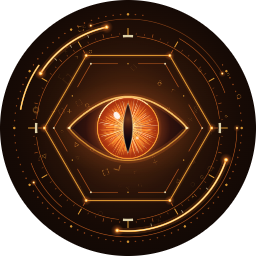
    The Eye

    A living HUD eye with thirteen moods - it listens, thinks, laughs and blinks.

  • Launcher mode

    Launcher home

    Desktop files, notifications, weather and your dock on one calm home screen.

  • Desktop mode

    HUD popups & island console

    Weather, system and timer cards pop up; the island keeps your quick controls.

  • Files

    Vault + “Tidy it”

    A fast file manager that offers to tidy messy folders with your rules.

  • Chat

    Island chat with answer cards

    Type instead of talk - answers arrive as tidy cards with the facts.

  • All your PCs

    Mesh

    Link your PCs - ask on one and let another do the job.

  • Loadout

    Card-deck loadout & personalities

    Flip through card decks to pick a look, a personality, a voice and abilities.

  • Dictation

    Dictation with recognised names

    Hold Ctrl+Win, speak, let go - names you teach are always spelled right.

Talk

Hold. Speak. Let go.

Win+Alt

No wake word, nothing listening in the background. Press and hold, say it like you would to a person, release.

Win+Althold
“Open my budget sheet and tell me what I spent on groceries in March.”
Opening Budget 2026.xlsx… 312 € in March, about 20 € less than February.

Dictation

Write with your voice, anywhere.

Ctrl+Win

Emails, chats, documents. The ums are dropped, your corrections are followed, clean text lands at your cursor.

You said

so um can we push the call to tuesday, uh no wait, wednesday at three, and bring the the slides

UCA typed

Can we push the call to Wednesday at three? And please bring the slides.

Circle to ask

Loop it. Ask about it.

Ctrl+Shift

Draw a loop around anything on screen - an error, a chart, a photo - and just ask.

Installer
Error 0x80070005: Access is denied.
A permissions error - the folder belongs to another account. Want me to open its security settings?

HUD popups

Answers that float on your desktop.

In desktop mode UCA stays out of the way and pops small cards when you ask: weather, system, timers.

Weather21°Sunny until 17:00
SystemCPURAMGPU
Timer24:59Focus · rain sounds on

Scroll island

Everything you reach for, at the top of your screen.

Point at the island and scroll to flip through panels. No window opened.

Launcher mode

A home screen with UCA in it.

Full-screen home with vitals, weather, news and an app dock. Prefer your desktop? Switch any time.

Good evening, Sam.Tuesday · 18:42
21° ☀️
PC vitalsCPURAMGPU
Local newsCity opens new riverside parkWeekend market moves to Saturday
Today19:00 Call Mum21:00 Series night

UCA Mesh

Mesh — all your PCs, one mind

Every PC on your account runs its own UCA. Linked together they know each other and hand tasks over.

Desk PC work · two monitors Gaming room server backups · Plex Laptop on the sofa “Check the backups on the server.” Gaming room server: all 3 jobs green.

How to link your PCs

Telegram bot

Talk to your PC from anywhere.

Your own bot, running on your PC. Text, voice notes and photos in - answers and screenshots back.

UCAbot · on your PC
Is the render on my PC done yet?
Yes - finished 4 minutes ago. Here’s a screenshot.
screenshot.png
0:07
Okay, shutting the PC down in 5 minutes. 👍

Loadout

Make it unmistakably yours.

Three looks, eight personalities, twenty voices, seven colours.

Look
Eye
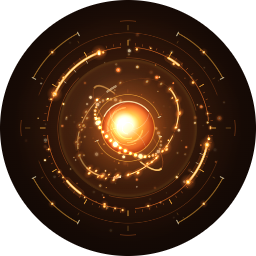
Core
Flame

A living HUD eye, an energy core with rings - or a small living flame with a face.

Personality
UCAThe ButlerThe VisitorBig BroSunnyDeadpan

Calm UCAs-style by default. Always accurate, whatever it sounds like.

Voice
CharonGB PuckUS KoreGB FenrirUS ZephyrGB AoedeUS

British or American, warm and low to bright and quick.

Accent
ember
azure
jade
violet
gold
crimson

Pick the colour of your core. Abilities are switches: apps, web, files, system, memory.

Looked after

The boring parts, handled.

01

Activate with a code

UCA shows a six-digit code. Confirm it in your account - no key to type.

02

Backup Gemini key

Add a second key and UCA switches over when the first hits its limit.

03

Updates that explain themselves

What’s new is shown before anything installs. You say when.

04

Your key stays on your PC

Your voice goes from your PC to Gemini with your own key. We never see it.

Pricing

One payment. No subscription.

The AI runs on your own Gemini key, which Google gives out for free.

Household

$22 once

  • Up to 3 Windows PCs - great with Mesh
  • Lifetime license - every update, free
  • All abilities, looks and voices
  • Runs on your own free Gemini key
  • Early-access price: UCA is new and may still have bugs. Report them from the app and we fix them in frequent updates.
Request access

Setup

Three steps, two minutes.

  1. 1

    Get a free Gemini key

    Google AI Studio → create key. One minute, no cost.

  2. 2

    Install and activate

    Paste the key into Settings. UCA shows a six-digit code - confirm it in your account.

  3. 3

    Hold and talk

    Hold Win+Alt and say hello.

FAQ

Questions, answered.

Do I need to pay for the AI?

No. UCA runs on your own Gemini API key, which you can create for free in Google AI Studio. The free tier is generous enough for everyday use. You only pay once for UCA itself.

Does UCA listen all the time?

No. UCA only hears you while you hold the talk keys (Win + Alt) or the dictation keys (Ctrl + Win). Let go and the microphone closes.

Where does my audio go?

Straight from your PC to Google's Gemini API with your own key. It never passes through our servers.

Are my conversations stored or used for AI training?

Not by us - your conversations never reach our servers. UCA talks to Google's Gemini API with your own key, so Google's terms for your account and plan decide whether conversations are stored, reviewed by humans or used to train and improve AI. Free tiers may be used to improve Google's products. Please check the Gemini API terms yourself and decide whether that is fine for what you say and show to UCA.

Will UCA ever ask for my passwords?

No. Neither we nor UCA will ever ask for passwords, PINs, bank or card details or ID numbers. Please never tell UCA such private, sensitive data, and keep it off the screen when UCA looks at your screen. If anything asks you for it in UCA's name, it is not us.

How do I activate?

Open UCA and choose to activate. It shows a six-digit code and opens your account in the browser. Sign in with your email (we send you a one-time code), check that the code matches and press Activate this PC. Done.

Can I talk to UCA from my phone?

Yes, with the Telegram bot. Create your own bot in Telegram, connect it in UCA's settings, and message your PC from anywhere: text, voice notes and photos, and UCA can send screenshots back. It is free and runs on your own PC while it is switched on.

Do updates install automatically?

Yes. UCA downloads new versions in the background, tells you what is new first, and installs the update when you say yes or the next time UCA closes. Founders get every update for free.

Why is UCA so cheap right now?

UCA is in early access. It is new and may still have bugs, so the Founders price is lower. If something goes wrong, use Settings › UCA › Send logs in the app or write to support, and we ship fixes in frequent updates. Founders keep their price and every update for life.

Which Windows versions are supported?

Windows 10 (22H2) and Windows 11, 64-bit.

Can I move UCA to a new computer?

Yes. Sign in at /account, remove the old computer to free its slot, then activate UCA on the new one.

More than one PC? Link them with UCA Mesh - set up in four steps.

Ready when you are.

Two keys between you and a computer that listens.

Get UCA